Why Your WiFi Thermostat Isn't Working in Montana's Cold Weather (And How to Fix It)
Premier Systems
January 9, 2026
ac thermostat

Montana winters don’t mess around. When the temperatures dip well below freezing in places like Bozeman, everything in your home starts to feel the impact. That includes your wifi thermostat. We hear from homeowners every January, wondering why their smart thermostat is suddenly acting strangely or has stopped working altogether.


Cold weather brings more than just snow and ice. It can mess with electronics, reduce battery life, and even affect your internet. If your thermostat is glitching during a cold spell, you're not alone. Let’s look at what might be going wrong, what signs to watch for, and what steps might help keep your system steady when it’s below zero outside.


Cold Weather Effects on a Wifi Thermostat


When the temperatures outside stay below freezing for days, or sometimes weeks, your home’s systems work extra hard to keep things warm. Your wifi thermostat is no exception. It’s doing double duty, managing your heating schedule and staying connected to your home network. But freezing weather can slow things down or cause parts to fail.


Here’s how freezing weather can interfere with your thermostat:


• Batteries lose power faster in cold conditions, especially if the thermostat is installed in a chilly area like a hallway, entryway, or garage wall.


• Heating systems may run longer and more often, which means the thermostat software is working nonstop. When that happens, the software can lag, glitch, or freeze up like other smart devices sometimes do.


• If your router isn’t close or is tucked into a cold corner, you may start having trouble with the wifi signal reaching your thermostat. A weak connection can cause dropouts or syncing issues.


We often find that these minor issues pile up at once, becoming worse during a harsh cold snap. It can feel like the thermostat is confused when it's really just trying to operate in extra-tough conditions.


Common Signs Your Thermostat Isn’t Working Right


It’s not always clear when a wifi thermostat is struggling. The system doesn’t usually shut down all at once. Problems tend to show up gradually with minor changes in how the thermostat behaves. Catching these signs early can help prevent more serious complications later.


Watch for these common issues:


• The display stays blank or freezes, even after replacing batteries or restarting it.


• You make a change to your settings, like increasing the temperature, but nothing seems to happen. It might be slow to respond or not respond at all.


• Your heating system keeps running over and over, even though you've already reached your target temperature. This could be a sign that the thermostat isn’t communicating correctly with the furnace.


• The thermostat disconnects from wifi or keeps going offline, even when the rest of your devices seem fine.


If one or more of these issues start showing up during winter, the thermostat may be having trouble handling the extra demands of cold weather.


What Montana Weather Means for Home Thermostats


In a
winter-heavy place like Bozeman, Montana, our home systems have to deal with more than just dropping temperatures. Everything from storm activity to ice buildup can affect how our thermostats work, especially if they’re a few years old or not updated regularly.


Here are a few cold-season challenges we’ve seen affect smart thermostats in Montana winters:


• Sub-zero temperatures can stress older wiring, which may already be delicate in homes with aging electrical systems. As the wires get cold, they can contract or loosen, throwing off thermostat readings.


• Some
smart thermostats use outdoor sensors to help adjust indoor settings. If those sensors are covered in frost or buried in snow, your thermostat might get confused and adjust the heat based on bad input.


• Winter storms and wind can lead to brief or complete power outages. Even a flicker in electricity might reset some thermostat settings, especially if it doesn’t have a strong backup connection or memory.


Professional maintenance
, like the inspections we offer for furnaces, air conditioners, and heat pumps, helps keep your heating, cooling, and control systems working through the toughest months.


Simple Things to Check Before Calling for Help


Before reaching out to a professional, try a few basic steps that might fix minor issues. These won’t solve major electrical problems, but they can help rule out some common causes.


Start with the easy stuff:


• Make sure your wifi connection is still working across the house. Try checking other smart devices or resetting your router if needed. A weak signal could cause the thermostat to drop offline.


• Open your thermostat’s app and see if any software updates are available. Updates often fix bugs that only appear under certain conditions, such as extreme cold.


• Lightly tug on the thermostat to confirm it’s still properly connected to the wall. If it feels loose or crooked, it might not be making a clean connection to the wires behind it.


• Look for visible signs of wear or damage to the wall plate or wires. If anything seems broken or unfamiliar, it’s better not to touch it. Leave it until someone with electrical experience can take a closer look.


We always recommend playing it safe. If something is off but you can’t tell what, it’s best not to take it apart or try to rewire anything on your own.


Smart Thermostats and Montana Winters: Staying Warm and Connected


When temps dip, smart thermostats help us balance comfort and efficiency. Indoor air quality can be a factor, too. According to our website, options like humidifiers and air cleaners can support your home’s overall comfort and help your wifi thermostat function as expected.


Dry air, dust, or airflow problems might throw things off and cause your smart thermostat to act up. Staying ahead of indoor comfort helps your heat work like it should, no matter how cold it gets outside. If something feels off,
reach out to Premier Systems Heating, Air Conditioning & Boilers, and we’ll help you sort it out.
June 1, 2026
5 HVAC Problems Homeowners Notice During Montana's Rainy Days Rainy weather can be a welcome break from the summer heat, but it can also reveal hidden issues with your home's heating and cooling system. Increased humidity, fluctuating temperatures, and excess moisture can all impact your HVAC system's performance. If you've noticed your home feeling less comfortable during rainy weather, your HVAC system may be trying to tell you something. Here are five common HVAC problems homeowners experience during Montana's rainy days and what you can do about them. 1. Excess Indoor Humidity One of the most common complaints during rainy weather is a home that feels damp or sticky, even with the air conditioner running. Your HVAC system does more than cool the air—it also removes moisture. If your system isn't properly dehumidifying your home, indoor humidity levels can rise quickly. Signs of High Indoor Humidity: Sticky or clammy indoor air Condensation on windows Musty odors Increased allergy symptoms If your home consistently feels humid, your air conditioner may need maintenance or your system may be improperly sized for your home. 2. Musty Smells Coming from Vents Rain and humidity create the perfect environment for mold and mildew growth. If you notice a musty odor when your HVAC system turns on, moisture may be collecting somewhere in the system. Common causes include: Dirty evaporator coils Clogged condensate drains Mold growth in ductwork Excess moisture around the air handler Ignoring these odors can lead to reduced indoor air quality and potential health concerns for your family. 3. Reduced Airflow Rainy weather can expose airflow issues that may have gone unnoticed during drier conditions. Dirty air filters, clogged coils, or ductwork problems can restrict airflow and make it harder for your system to maintain comfortable temperatures. Watch for: Weak airflow from vents Rooms that won't cool evenly Longer run times Higher energy bills A professional HVAC inspection can quickly identify and resolve airflow problems before they become major repairs. 4. Water Leaks Around Your HVAC Equipment Many homeowners are surprised to find water pooling near their indoor HVAC unit during rainy periods. While it may seem like rainwater is entering the system, the issue is often related to a clogged condensate drain line. Your air conditioner removes moisture from the air, and that water needs somewhere to go. When drain lines become blocked, water can back up and leak around your equipment. Don't ignore water around your HVAC system. Left untreated, it can damage flooring, walls, and even the unit itself. 5. Thermostat and Electrical Issues Heavy rainstorms can sometimes cause power fluctuations that affect HVAC controls. If your thermostat isn't responding properly or your system cycles on and off unexpectedly after a storm, electrical components may have been affected. Common warning signs include: Blank thermostat screens Inconsistent temperatures System short cycling Failure to start If you notice these symptoms after severe weather, it's best to have a technician inspect the system to prevent further damage. Keep Your HVAC System Ready for Any Weather Montana's weather can change quickly, and your HVAC system needs to be ready for everything from summer rainstorms to humid days and temperature swings. Regular maintenance helps identify small problems before they become expensive repairs. A seasonal HVAC tune-up can: Improve system efficiency Reduce humidity issues Prevent unexpected breakdowns Extend equipment life Improve indoor air quality Schedule Your HVAC Inspection Today If you've noticed musty odors, humidity problems, weak airflow, or water leaks during recent rainy weather, don't wait for the problem to get worse. Our experienced technicians can diagnose the issue and help keep your home comfortable no matter what the forecast brings. Contact us today to schedule your HVAC inspection and ensure your system is ready for Montana's changing weather.
May 26, 2026
Why Your House Feels Humid Even With the AC Running
May 20, 2026
5 Signs Your AC Won’t Survive the Summer
May 11, 2026
Why Spring Is the Best Time to Replace Your A/C
April 28, 2026
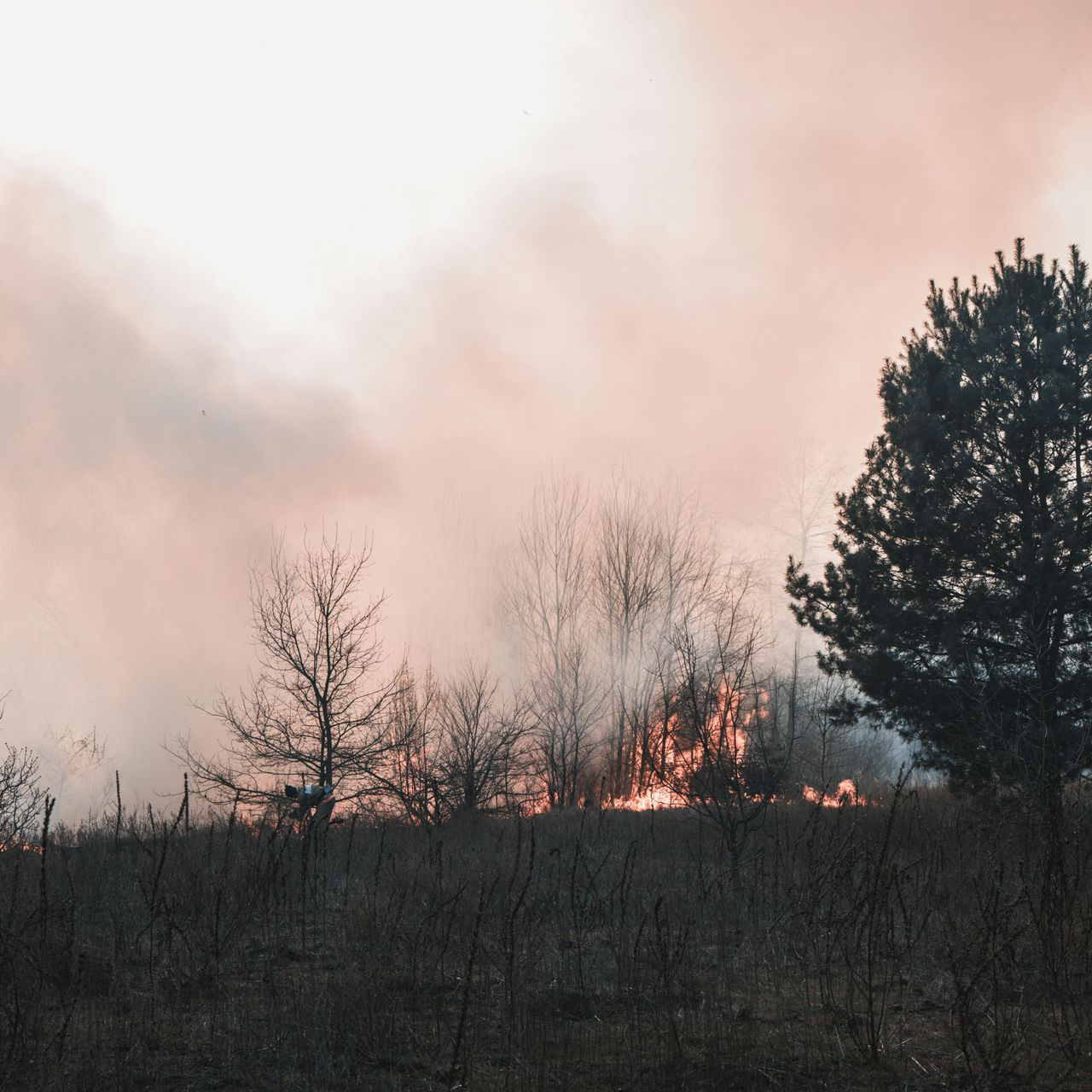
Wildfire season has become an increasingly common part of life in Southwest Montana, especially for homeowners in Bozeman, Belgrade, and Four Corners. While the smoky haze outside is easy to see, what’s happening inside your home is often less obvious. Many people assume that simply closing windows and doors will keep them safe—but wildfire smoke can still enter your home and impact your indoor air quality (IAQ) in ways that affect both comfort and health. Why Wildfire Smoke Indoors Is a Serious IAQ Concern Wildfire smoke is made up of extremely fine particles called PM2.5, which are small enough to pass through tiny openings and even some standard HVAC filters. Once inside your home, these particles can circulate through your ductwork and linger in the air. For homeowners in our area, poor indoor air quality during wildfire season can lead to: Coughing, sneezing, and throat irritation Headaches and fatigue Aggravated asthma or allergies Increased strain on your HVAC system Without proper filtration and system maintenance, your home’s air may not be as clean as you think. How Smoke Affects Your HVAC System Your HVAC system plays a major role in managing your indoor air quality —especially during wildfire events. When smoke enters your home, your system can either help remove harmful particles or unintentionally spread them throughout your space. If your system isn’t equipped with the right components, you may experience: Reduced filtration of fine smoke particles Dirty ductwork circulating contaminants Increased wear and tear on system components Decreased efficiency and airflow This is why homeowners across Bozeman and Belgrade are upgrading their systems to better handle wildfire smoke conditions. HVAC Solutions to Improve Indoor Air Quality During Wildfire Season The most effective way to protect your home’s air is through professional HVAC solutions designed specifically for indoor air quality in Four Corners, Belgrade, and Bozeman. Upgrade to HEPA or High-Efficiency Filters Standard filters aren’t designed to capture the smallest smoke particles. Upgrading to HEPA filters or high-MERV rated filters allows your system to trap significantly more airborne contaminants, improving your IAQ immediately. Install Whole-Home Air Purification Systems Advanced air purification systems integrate directly into your HVAC system to continuously clean the air as it circulates. These systems are especially effective during wildfire season when outdoor air quality is poor for extended periods. Add an Air Scrubber Air scrubbers go beyond traditional filtration by actively removing pollutants, odors, and particles from the air and surfaces in your home. This added layer of protection can make a noticeable difference in homes affected by wildfire smoke. Schedule Professional Duct Cleaning If smoke has entered your home, particles can settle inside your ductwork. Duct cleaning removes built-up contaminants and prevents them from being recirculated, helping restore cleaner air throughout your home. Keep Up with HVAC Tune-Ups Regular HVAC tune-ups ensure your system is running efficiently and filtering air properly. During wildfire season, a well-maintained system is critical for maintaining healthy indoor air quality. Long-Term Protection for Homes in Bozeman, Belgrade & Four Corners Wildfire smoke isn’t just a temporary inconvenience—it’s an ongoing challenge for homeowners in Southwest Montana. Investing in indoor air quality solutions through your HVAC system provides long-term protection for your home and your family. By combining: High-efficiency filtration Whole-home air purification Air scrubbers Clean ductwork Routine system maintenance …you can significantly reduce the impact of wildfire smoke indoors. Breathe Easier with the Right HVAC Support Your home should be a place where you can escape poor outdoor air—not bring it inside. With the right HVAC upgrades and maintenance, you can take control of your indoor air quality in Bozeman, Belgrade, and Four Corners, even during the peak of wildfire season. If you’re noticing smoke lingering in your home or want to prepare ahead of time, working with a trusted HVAC professional can help you choose the best solutions for cleaner, healthier air. Cleaner indoor air starts with the right system—and the right team behind it.
thermostat
By U. Baid February 27, 2026
Cut energy use and boost comfort this winter with a WiFi thermostat. Get remote control, smart scheduling, and faster heating where it matters most.
mini split ac
By U. Baid February 27, 2026
Learn how mini split installation in Bozeman gives you zoned comfort, quiet operation, and better energy use, no matter what Montana’s weather brings.
furnace
By U. Baid February 19, 2026
Stay warm through winter with helpful tips on furnace maintenance in Bozeman to prevent breakdowns and keep your heating system running smoothly.
furnace
By U. Baid February 19, 2026
Keep your home cozy with simple habits and proper furnace maintenance in Bozeman. Learn ways to stay warm without stressing your heating system.
ac unit
By U. Baid February 18, 2026
Keep your cooling system reliable with air conditioner maintenance tips for Bozeman homeowners, including filter checks, coil cleaning, and tune-ups.